
Web Service for Android application
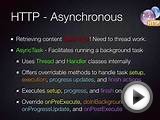
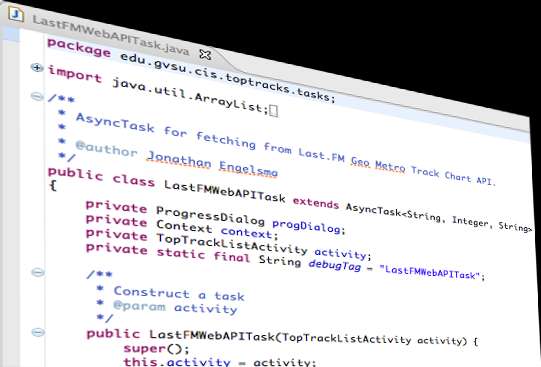 One of the things I’ve noticed budding Android developers struggle most with is how to properly integrate content being pulled form web services into their Android apps. Many of them have been focusing exclusively on figuring out layouts and other user interface related issues and haven’t yet developed an understanding of the underlying threading model in Android, and the fact that you don’t want to do network IO (or anything that takes time for that matter!) on the “main” thread. Some of them have already discovered ASyncTask, but find the documentation a bit difficult to digest or simply lack a nice clean comprehensive working app that demonstrates the concepts. I recently posted a screencast on YouTube (embedded below) that is actually a recording of a portion of a lecture I give in my mobile app develop course here at GVSU. The video seems to be getting a fair amount of views on YouTube for the short time its been available and I’m also getting a number of requests for the source code.
In this video I walk through the implementation of a fictitious app I implemented called TopTracks. The app uses publicly available web services on the Last.FM music social network to display the current most popular music tracks among Last.FM users in various metro areas across the United States. In the course of the code walkthrough we cover how to actually issue the HTTP requests, how to parse the JSON result strings we receive in response, and how to properly code this up in an ASyncTask in a way that moves the time consuming network fetch into a background thread, but still giving us the opportunity to update the view hierarchy with the main thread once the fetch completes. We also take a look at a custom ListView Adapter to demonstrate a typical user interface for displaying an array of data fetched from a network service. The source code covered in the screencast is available here.
If you are in the process of learning to develop for the Android platform, you might be interested in a series of Android screencast tutorials I’ve given in my lectures and made available on YouTube. I’ve embedded the playlist below.
Source: www.themobilemontage.com
You might also like:




 @Sabelo Mbatha: Mobile App Developers Company in South Africa. Mobile application development for iPad, iPhone, Android, BB, Win 8
You should have URL to pass those two numbers to webservice. You need to parse that URL. Webservice will retrieve the result for calculation. Show me that URL, I can write code which may help you.